










Garmin Descent Computer Review for Serious Divers
A dive computer that also tracks your route to the dive site, your surface recovery and your training load can sound like feature overload. In practice, this Garmin Descent computer review finds that the range makes most sense for divers who genuinely want one capable watch on the wrist every day, not just a screen clipped to their BCD underwater.
Garmin Descent models occupy an unusual position in the dive-computer market. They are serious diving instruments first, but they also bring smartwatch features, GPS, fitness tracking and outdoor navigation that traditional dive computers usually leave behind. The result is a highly configurable tool with real appeal for travelling divers, active divers and technical divers who value data. It is not automatically the best choice for every diver, though.
Garmin Descent computer review: who is it for?
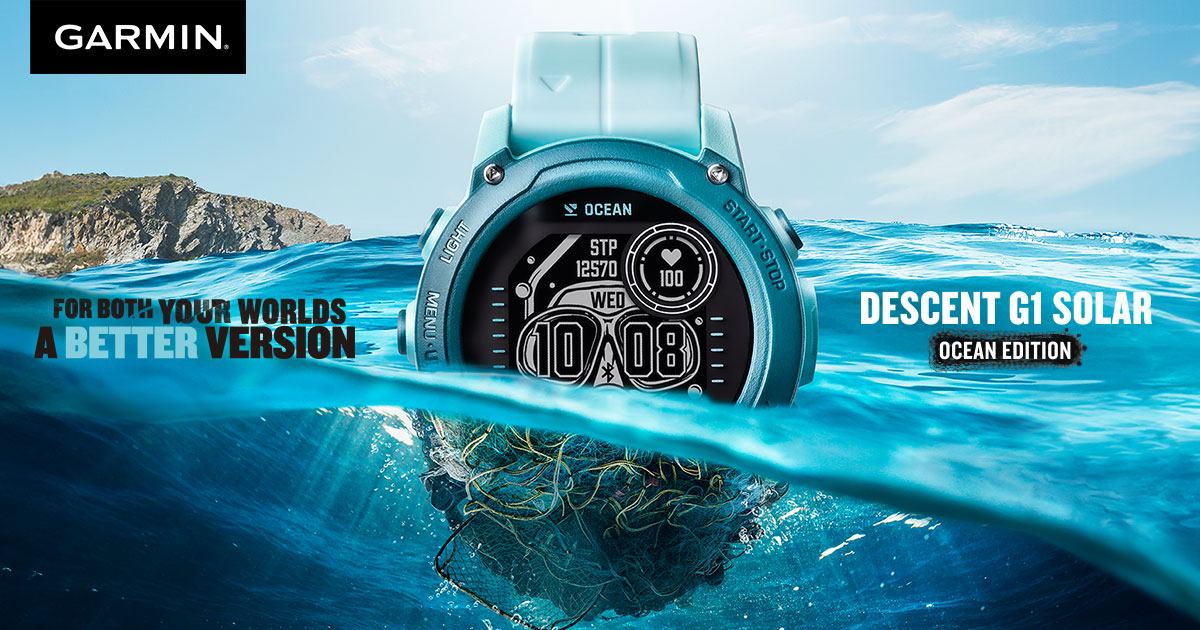
The Descent family covers several types of diver. The compact G1 and G1 Solar suit divers who prefer a smaller, lighter watch format and spend as much time hiking, running or training as they do underwater. The Descent Mk3 range offers a larger colour display, mapping and more premium materials, while the Mk3i adds transmitter-based air integration and diver-to-diver data sharing when used with compatible Garmin equipment.
That breadth matters. A recreational diver completing two warm-water dives on holiday may value the G1's practicality and long battery life. A wreck, cave or technical diver planning multi-gas dives may be better served by a larger Mk3i, particularly if air integration, route planning and a very clear map display are useful above water.
The common thread is flexibility. Garmin gives you configurable data screens, multiple activity profiles and a watch that remains useful between dive trips. If you want a dedicated computer with no interest in steps, sleep, GPS tracks or mobile phone notifications, part of the Descent proposition may simply be wasted.
The underwater experience
Underwater, Garmin Descent computers provide the core functions expected of a premium modern computer: air, nitrox, trimix and closed-circuit rebreather modes on applicable models; decompression planning; a digital compass; safety-stop guidance; ascent alerts; and detailed post-dive logs. Exact modes and capabilities vary by model, so it is worth matching the computer to the diving you do now and the training path you expect to follow.
The screen layout is one of Garmin's strongest points. Divers can select the fields that matter to them, such as depth, no-decompression limit, time, gas, ceiling, compass bearing or tank pressure. This is particularly helpful when moving from straightforward recreational dives to staged decompression diving. Rather than learning an entirely new computer, you can build a display that supports more complex dives as your experience grows.
On the larger Mk3 models, the bright AMOLED display is easy to read and gives the computer a distinctly modern feel. Colours can make gas information, warnings and navigation cues faster to pick out. The trade-off is familiar to anyone choosing a colour-screen computer: charging becomes a more regular part of ownership than with a simple monochrome unit. Battery performance remains good, but it should be planned around, especially on a liveaboard or expedition itinerary.
The G1's display is more restrained, but that is not necessarily a weakness. It is designed for efficiency, has excellent visibility in bright conditions and keeps the watch compact. Divers wearing thick exposure protection or heavy gloves may still prefer the larger screen and buttons of an Mk3.
Decompression information and planning
For serious diving, the quality of information matters more than a long feature list. Descent models present decompression obligations clearly, with ascent guidance and configurable conservatism to help divers align the computer with their own approach to risk management. They can support multi-gas planning and switching where the model and selected mode allow it.
A computer is not a substitute for understanding decompression theory, gas planning or contingency procedures. Divers progressing into technical profiles should practise navigating the menus and gas-switch prompts before relying on them in cold water, current or restricted visibility. A configurable device is powerful, but it also asks the owner to set it up deliberately.
Air integration is useful, not essential
The Mk3i can pair with compatible Garmin transmitters to display tank pressure, estimated remaining gas time and selected information from other equipped divers. For a team that trains together, this can offer a useful extra layer of awareness. Seeing a buddy's pressure without needing to signal for a gauge check has obvious value during a busy ascent or a long swim back to the exit.
There are sensible limits. Air integration should complement, not replace, a properly configured analogue submersible pressure gauge, particularly in technical or overhead environments where redundancy is central to the plan. It also adds cost, battery management and another wireless component to maintain. For many single-cylinder recreational divers, a conventional SPG and a non-air-integrated Descent may be the cleaner, more cost-effective setup.
Where Garmin stands apart: life beyond the dive
This is the point that separates Garmin from dedicated dive-computer brands. A Descent is designed to be worn all week. GPS navigation, route tracking, training metrics, heart-rate monitoring, smart notifications and payment features on supported models give it a role on land that many dive computers cannot match.
For divers in Singapore, that can be especially practical. The same watch can track a training session during the week, record a ride to the ferry terminal, guide a hike on a non-diving day and then log a weekend of diving. Travelling divers may also appreciate having navigation and activity functions in one device rather than packing a sports watch as well as a computer.
The limitation is that more functions bring more menus. Garmin's interface is capable, but it takes time to learn. A diver who wants to press one button, select air or nitrox and enter the water may find a more focused computer less demanding. Before an important trip, spend time setting alerts, arranging data fields, choosing units and checking the active dive mode.
Fit, configuration and daily wear
A watch-style computer must work with both your exposure suit and your daily routine. The smaller G1 is a natural option for slimmer wrists, travel-focused kits and divers who dislike a bulky instrument. Larger Descent models provide more screen area and can be easier to operate with gloves, but they feel more substantial on land.
Pay attention to strap length and retention. A secure, suitably long strap or bungee arrangement is essential over a drysuit or thick wetsuit. Technical divers should also consider where the computer sits within the wider configuration. A wrist-mounted primary computer works well with a hose-routed SPG, a backup timing device and clean hose management, but the arrangement should remain readable while operating a reel, torch or scooter.
Choose screen data around your real diving rather than copying another diver's layout. A recreational diver may want depth, time, no-decompression limit and compass. A decompression diver may prioritise current gas, ceiling, time to surface, stop depth and tank pressure. The best layout is the one you can interpret immediately when workload rises.
The trade-offs before you buy
Garmin Descent computers are premium products, and the price reflects their materials, display technology and broad feature set. If diving is your only activity and you want the largest possible underwater display for the money, a dedicated computer from another specialist brand may offer better value. Some divers also prefer the simpler operating logic and familiar button layouts of purpose-built technical computers.
Battery discipline is the other consideration. Charge the computer before a dive weekend, check remaining power before each day, and avoid relying on solar assistance as a substitute for charging. Solar can extend endurance in suitable conditions, but it does not remove the need for sensible preparation.
Finally, buy for the diving you are likely to do over the next few years, not just the next two dives. Paying for trimix and air-integration capability makes sense if further training is planned. If it is not, a G1 or non-air-integrated model can leave more budget for the items that shape every dive: a well-fitting mask, appropriate exposure protection, reliable regulator servicing and a balanced BCD configuration.
Is a Garmin Descent the right computer?
A Garmin Descent is an excellent choice for the diver who wants a capable, configurable dive computer that earns its place on the wrist every day. It is particularly compelling for active travellers, divers who value GPS and training data, and those building towards more advanced gas or decompression diving.
It is less compelling for someone who wants the simplest possible dive-only instrument, or who would rather put the same budget into other parts of a new setup. The right answer depends on your diving environment, glove use, future training and whether smartwatch functions will genuinely be used.
A good computer should fit the way you dive, not force you into somebody else's workflow. If you are weighing Descent models against the rest of your equipment plan, Deep Dive Supplies can help you consider screen size, air integration and how the computer will sit within a complete, personalised setup.