










Wrist Computer Versus Console for Divers
A computer is one of the few pieces of dive kit you will consult repeatedly throughout every dive. The wrist computer versus console decision therefore affects more than where you read your depth and no-decompression limit. It changes how you manage your hoses, check gas, mount a compass and build redundancy into the rest of your setup.
Neither format is automatically better. The right choice depends on whether you prioritise a clear all-in-one instrument cluster, a clean and modular equipment configuration, or a specific style of diving such as travel, recreational diving, sidemount or technical diving.
What changes between a wrist computer and console?
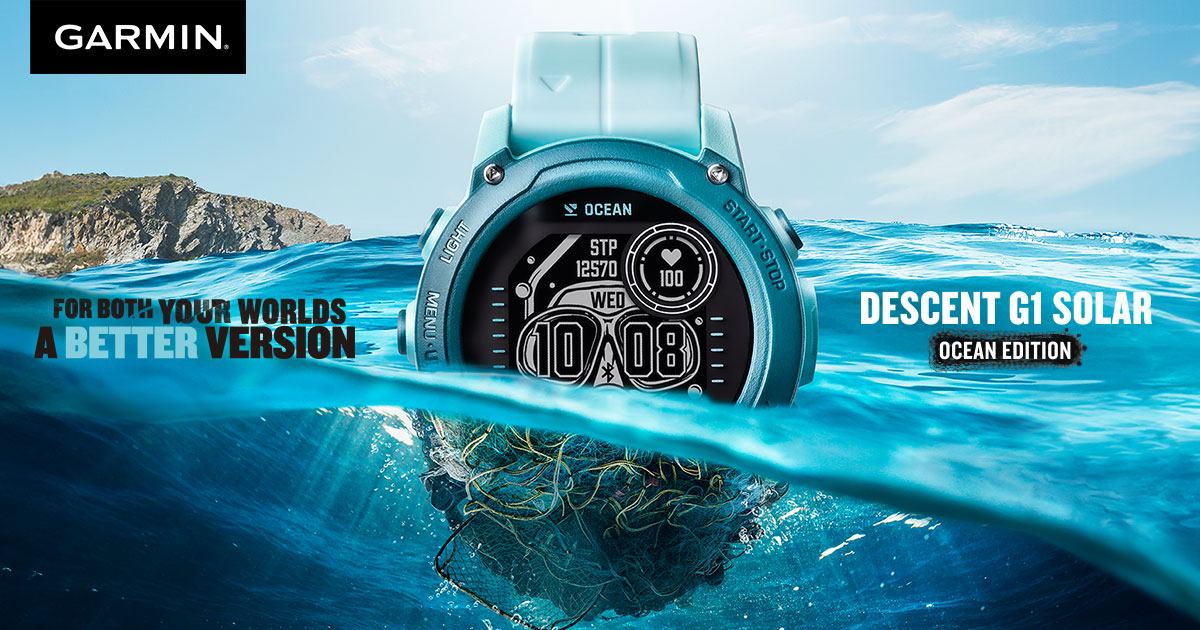
A wrist computer is worn like a watch, normally on the wrist or mounted to a bungee strap. It shows the information needed to manage the dive: depth, time, ascent rate, no-decompression data, decompression obligations where applicable, and often compass and gas-switching information. Many models can also pair with a wireless transmitter to show cylinder pressure.
A console computer is fitted to a high-pressure hose from the first stage. Depending on the model, it may be a combined computer and pressure gauge unit, or a computer paired with an analogue submersible pressure gauge. Some divers also include a compass in the same console.
The practical distinction is simple. A console is physically connected to your regulator, while a wrist computer is independent of it. That difference has implications for streamlining, access, failure planning and the way you configure your instruments.
Wrist computer versus console: access underwater
For most divers, a wrist-mounted computer is faster to read. Your computer is already in your natural line of sight when you raise your arm, and you can check it without finding and lifting a console from a retaining point on your BCD. This becomes particularly useful when maintaining position in current, using a reel, holding a torch, or managing a camera.
Wrist computers are also easier to reference during a controlled ascent. You can hold your depth while keeping your display visible, rather than letting a console hang or bringing it up by its hose. The benefit may sound small on paper, but good access encourages good monitoring habits.
A console is still perfectly usable, especially when it is clipped neatly to a D-ring and kept close to the body. Many recreational divers appreciate having their depth, time and cylinder contents in one place. When you pick up the console, your key information is together rather than split between a wrist display and a separate pressure gauge.
The trade-off is that access depends on tidy hose routing and a consistent stowage position. A console left dangling is harder to read, more vulnerable to impact and more likely to drag across coral, sand or a wreck line.
Display size and readability
Console computers can offer a generous display because they are not limited by the size and shape of a wristwatch. This can suit divers who want larger digits, particularly in lower visibility or when wearing thick gloves. A larger unit can also be easier to operate with gloved hands.
That said, current wrist computers are available in several display sizes. A compact watch-style model is ideal for everyday wear and travelling light, while larger wrist units offer bright, high-contrast displays designed for technical use. The question is not simply wrist versus console, but whether the screen is easy for you to read at a glance in the conditions you actually dive.
Try to think beyond a clear-water holiday dive. Consider a night dive, a silty quarry, a cold-water dive with gloves, or a decompression stop when task loading is higher. Readability is a safety feature, not just a comfort preference.
Hose routing, streamlining and equipment choice
A console adds a high-pressure hose and a larger item to secure. On a conventional single-cylinder recreational setup, this is not necessarily a problem. With disciplined routing and a proper clip, a console can sit close to the left hip and remain protected.
For divers moving towards a backplate-and-wing system, long-hose configuration or sidemount, a wrist computer often makes more sense. It removes one bulky instrument from the front of the diver and leaves more freedom to route hoses according to the configuration. It also makes it easier to place an analogue SPG exactly where it is useful, rather than accepting the position dictated by a console.
This matters in sidemount. Cylinder pressure is commonly checked on two separate gauges, one for each cylinder. A console designed around a single-cylinder setup does not naturally suit that workflow. A wrist computer, paired with compact gauges and clear cylinder-identification habits, is usually the more flexible starting point.
Technical divers also tend to value modularity. A wrist computer can remain on the arm regardless of whether the dive uses a single cylinder, doubles, stages or sidemount cylinders. Your computer does not need to be reconfigured physically every time the rest of the rig changes.
Gas pressure: analogue gauge or wireless transmitter?
This is where many purchasing decisions become confused. A wrist computer does not mean you must give up an analogue pressure gauge. In fact, an analogue SPG remains a valued independent reference for many experienced divers. It needs no battery, is straightforward to read and provides a useful backup when using a transmitter.
Wireless air integration can make a wrist computer exceptionally convenient. It brings pressure, gas time remaining and, on suitable models, multiple cylinder pressures to your wrist. For recreational divers, that can reduce the number of places they need to look. For advanced divers, it can support a more detailed gas-management view.
However, a transmitter is another battery-powered electronic device and another component to maintain. Signal loss, low battery warnings and pairing issues are uncommon but possible. It is sensible to understand how your computer behaves if pressure data disappears, and to have a planned alternative for monitoring gas.
A console gives you a direct, hose-connected pressure reading by default. For a diver who prefers simple equipment and does not need a wrist display or advanced gas integration, that is a strong argument in its favour. It is direct, familiar and avoids adding a transmitter.
Redundancy is about the whole system
The best wrist computer versus console choice cannot be made by looking at one item in isolation. It should fit your redundancy plan.
On straightforward no-decompression recreational dives, a single primary computer and pressure gauge may be appropriate when used within training, local procedures and sensible limits. As dives become deeper, longer, more complex or decompression-based, independent backup becomes increasingly relevant. Many technical divers carry a primary wrist computer and a second computer or depth-and-time backup, alongside independent gas-pressure monitoring.
A console computer can be a backup instrument, but it is linked to the regulator hose system. If the first stage, high-pressure hose or console itself is damaged, the diver may lose access to both that computer and that particular pressure reading. A wrist computer is physically separate from the regulator, which can be an advantage in failure planning.
Conversely, a wrist computer with wireless pressure data has its own separation between computer and transmitter. That is helpful, but it does not remove the need to think through a transmitter failure. The strongest setups are not those with the most electronics. They are those where the diver knows what information is primary, what is backup and what action to take if either is unavailable.
Who should choose each format?
A console computer is a sensible fit for a newer recreational diver who wants one obvious place to check core information, prefers a larger display and uses a conventional jacket-style BCD with a standard regulator layout. It can also suit divers who simply prefer an analogue, hose-connected gas reading and do not want to manage wireless equipment.
A wrist computer is often the better fit for divers who travel, wear a computer daily, use a backplate-and-wing or sidemount system, want a digital compass, or expect their diving to progress towards multiple gases and more configurable equipment. It is generally the more adaptable option as a diver's kit evolves.
There is also a practical middle ground: a wrist computer for depth and decompression information, plus a compact analogue SPG on a short high-pressure hose. This arrangement keeps computer data accessible while retaining a direct gas-pressure reference. It is popular because it is simple, modular and easy to adapt to different configurations.
Choose for the dives ahead, not only the dives you make now
When selecting a computer, consider your display preference, vision, glove use, regulator routing, planned cylinders and likely progression over the next few years. Battery type, charging routine, compass usability, algorithm options and service support deserve as much attention as the mounting format.
At Deep Dive Supplies, the useful starting point is not asking which computer is best in general. It is deciding how you want your complete system to work underwater. A well-chosen computer should feel like part of your dive routine, not an extra task to manage when conditions become demanding.